CHATGPT
[IN PROGRESS] MAKING SHADED BOX PART-2: MAKE SURE TEXT-WRAPPED "WRAP TEXT" INSIDE SHADED BOX
NARRATIVE ORIENTATION
(CONSIST OF TWO-STYLE VERSION IN EXPLAINING: MAIN AND DETAIL))
VERSION 1
🎯 MAIN SUMMARY
📦 BUILDING A PROFESSIONAL CODE BLOCK
🧱 STEP 1 — CREATE THE SHELL
DIV  → Visual Container
 └── PRE  → Formatting Preserver
      └── CODE → Actual Code Content
🔹 DIV = The Frame
Controls:
Background
Padding
Rounded corners
Horizontal scrolling
🔹 PRE = The Protector
Preserves:
Spaces
Tabs
Line breaks
🔹 CODE = The Identifier
Tells the browser:
“This is programming code.”
🔐 STEP 2 — MAKE THE CODE SAFE
Before inserting code inside <pre><code>, convert:
| Raw Character | Safe HTML Version |
|---|---|
< | < |
> | > |
& | & |
Why?
Because browsers execute <tags> unless you escape them.
VERSION 2
📦 VISUAL SUMMARY — CODE BLOCK ARCHITECTURE (Rewritten Version)
This section helps readers visualize the structure of the code container before moving to conversion.
Think of it like a 3-layer protective box — each layer has a specific job and works together to display code safely and beautifully.
🏗 The 3-Layer Code Structure

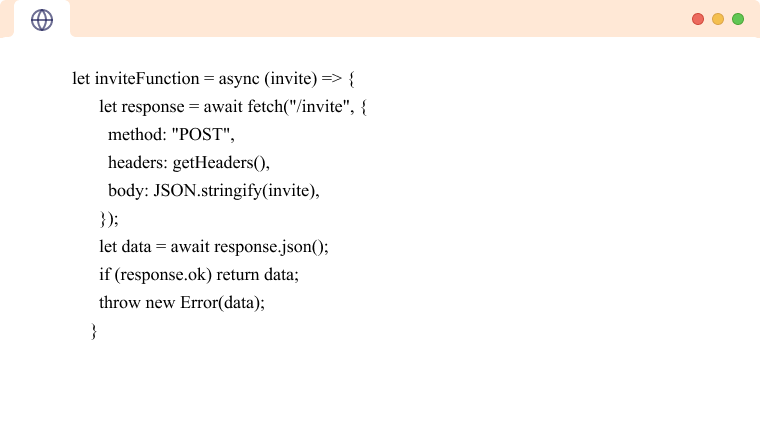

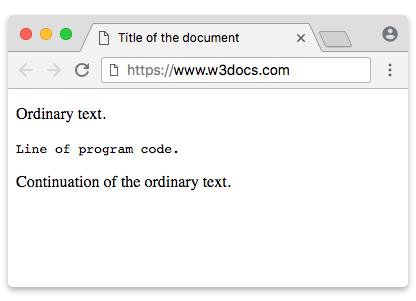
🔎 Layer Breakdown
| Layer | Tag | Role | What It Controls |
|---|---|---|---|
| Outer | <div> | The Shell | Background, padding, rounded corners, scrolling behavior |
| Middle | <pre> | The Formatter | Preserves spacing, tabs, and line breaks |
| Inner | <code> | The Identifier | Tells the browser this is programming code |
🧠 Why This Structure Works (DIV → PRE → CODE)
This 3-tier structure is considered the standard developer approach for displaying code blocks.
✅ 1. Layout Safety
overflow-x: auto; prevents long lines from breaking your layout.
Instead of stretching the page, it adds a horizontal scrollbar.
✅ 2. Clean Readability
Using:
font-family: Consolas, monospaceline-height: 1.6Proper padding
Makes the code easier to scan — similar to modern IDEs.
✅ 3. Perfect Copy–Paste
Because of <pre>, indentation stays intact when copied.
No broken formatting. No messy tabs.
📦 Structural Visualization (Simple Tree View)
DIV  → Styled Container (dark theme + padding + scroll)
 └── PRE  → Formatting Preserver
      └── CODE → Actual Code Content
Each layer has a clear responsibility:
DIV = appearance & protection
PRE = formatting integrity
CODE = semantic meaning
🚀 Moving Forward — Step 2: The Conversion Phase
Now that the Frame (Step 1) is built…
The next step is preparing the content so the browser displays the code instead of executing it.
That means converting:
| Character | Convert To |
|---|---|
< | < |
> | > |
& | & |
📦 Full Assembly Concept
Think of it like shipping a package:
Step 1 = The Box (Styled Container)
Step 2 = The Wrapped Item Inside (Encoded Code)
Example:
To display:
<h1>Hello</h1>
You must write:
<h1>Hello</h1>
Inside your <pre><code> block.
💡 Final Takeaway
✔ Structured
✔ Safe from layout breaking
✔ Copy-paste friendly
✔ Professional appearance
✔ Industry-standard method
Comments
Post a Comment